AI cover images

AI Cover Images for Lyric Videos

No footage? Describe the picture. CaptionFit generates a cover matched to your canvas, and you can change it with a second prompt.

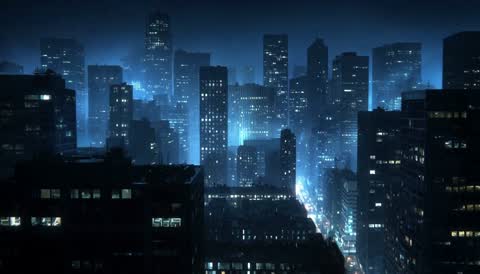
AI-generated cover: city skyline at dusk in indigo tones
“skyline at dusk, indigo haze”
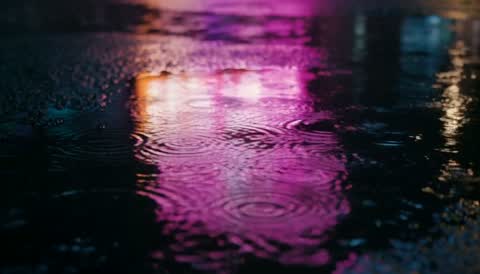
AI-generated cover: rain-soaked street with violet reflections
“wet street, violet neon”
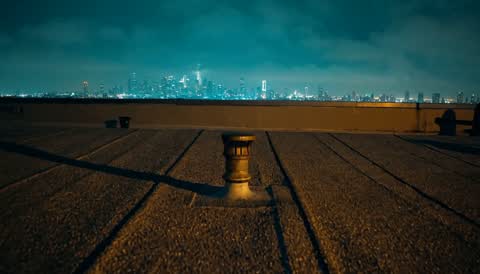
AI-generated cover: rooftop at dawn in teal light
“rooftop at dawn, teal light”
How it works

Three steps. That's the whole thing.

  1. Describe the cover — Open Add cover, choose Generate image and write what you want to see, up to 4000 characters. The image is generated for your 9:16 or 16:9 canvas.
  2. Refine with AI — Not quite right? Pick Edit with AI on any cover and describe the change: a different sky, a warmer palette, no text.
  3. Place it — The image lands in your library and on the timeline. Add more covers for other parts of the song.
In detail

What you get

From a text prompt

Write the scene in plain words. Generation takes about 15 to 30 seconds and the result is sized to your canvas.

Edit with AI

Change an existing cover, generated or uploaded, with a prompt. Roughly 20 to 40 seconds per edit.

Two libraries

A shared library of ready-made covers, and your own library holding everything you upload or generate, ready to reuse in any project.

Upload your own

JPG, PNG and WebP images, and MP4 or MOV video, drop straight into the cover picker.

Readable captions on any picture

A blurred copy of the cover sits behind it, so text stays legible whatever the image looks like.

Token pricing

Image generation and AI edits cost tokens per image. Current prices are shown in the app before you generate.

Why it matters

Most songs have no video. A cover image is the fastest way to give one a look of its own, and generating it inside the editor means it is already the right shape for the export and already on the timeline when it appears.

Want motion? Generate AI video backgrounds the same way. Want more than one picture? The scene timeline holds up to 50 covers along a single track.

Made for AI music creators and musicians releasing without a video budget.

FAQ

Common questions

How do I generate a cover image for my lyric video?
Open Add cover in the editor, choose Generate image, describe the picture and confirm. The image is created for your 9:16 or 16:9 canvas in about 15 to 30 seconds and placed in your library and on the timeline.
Can I change a generated image afterwards?
Yes. Choose Edit with AI on any cover, generated or uploaded, and describe the change. A new version is created in about 20 to 40 seconds.
Can I upload my own cover image instead?
Yes. Upload JPG, PNG or WebP images, or MP4 and MOV video, from the Upload tab of the cover picker.
Where do generated covers go?
Into your personal library, so you can reuse them in any project. A shared library of ready-made covers is also available.
What does AI image generation cost?
Generation and AI edits are priced in tokens per image. The current price is shown on the button before you generate.

Describe the picture. Get the cover.

Try it free — no credit card